
UK businesses should set special hours on Google Business Profile for every day between Christmas Eve, Thursday 24 December 2026, and Friday 1 January 2027, plus Monday 4 January 2027 in Scotland. Christmas Day 2026 falls on a Friday, so the Boxing Day bank holiday moves to Monday 28 December in every UK nation. Google's own help page says to confirm hours for official holidays even when they match your normal week.
The sections below give the dates, the exact Google steps and the 6-day rule that catches shops closing for the whole break, then show where Bing Places and Apple Business Connect differ. Every rule comes from the platforms' own help pages and the GOV.UK bank holiday list, read on 24 November 2026.
The one piece of original data is a check Teksyte ran the same day on 128 London business homepages, looking for festive hours and the structured data that carries them. Teksyte is a UK SEO and web agency that sets up these listings for clients, so the article is written by a firm that sells the work it describes. Our wider notes on local SEO cover the rest of a profile.
UK Bank Holiday Dates for Christmas 2026 and New Year 2027
GOV.UK lists 3 bank holidays over the break for England and Wales and for Northern Ireland: Christmas Day on Friday 25 December 2026, the Boxing Day substitute day on Monday 28 December 2026 and New Year's Day on Friday 1 January 2027. Scotland adds a fourth, the 2nd January substitute day on Monday 4 January 2027.
The substitute days are where profiles go wrong. Saturday 26 December 2026 is Boxing Day on the calendar, yet the bank holiday sits on Monday 28 December. A business that closes on the Saturday and opens as normal on the Monday has two separate days to confirm, and Google's suggested holidays may not line up with the day a shop actually changes its pattern.
Date | Day | Status | Set special hours? |
|---|---|---|---|
24 December 2026 | Thursday | Christmas Eve, not a bank holiday | Yes, if closing early |
25 December 2026 | Friday | Christmas Day, bank holiday, all UK | Yes |
26 December 2026 | Saturday | Boxing Day, not the bank holiday this year | Yes |
28 December 2026 | Monday | Boxing Day substitute, bank holiday, all UK | Yes |
31 December 2026 | Thursday | New Year's Eve, not a bank holiday | Yes, if hours change |
1 January 2027 | Friday | New Year's Day, bank holiday, all UK | Yes |
4 January 2027 | Monday | 2nd January substitute, Scotland only | Yes, Scottish sites |
Confirmed: every date and weekday above comes from the GOV.UK bank holidays page, checked on 24 November 2026.
How to Set Special Hours on Google Business Profile
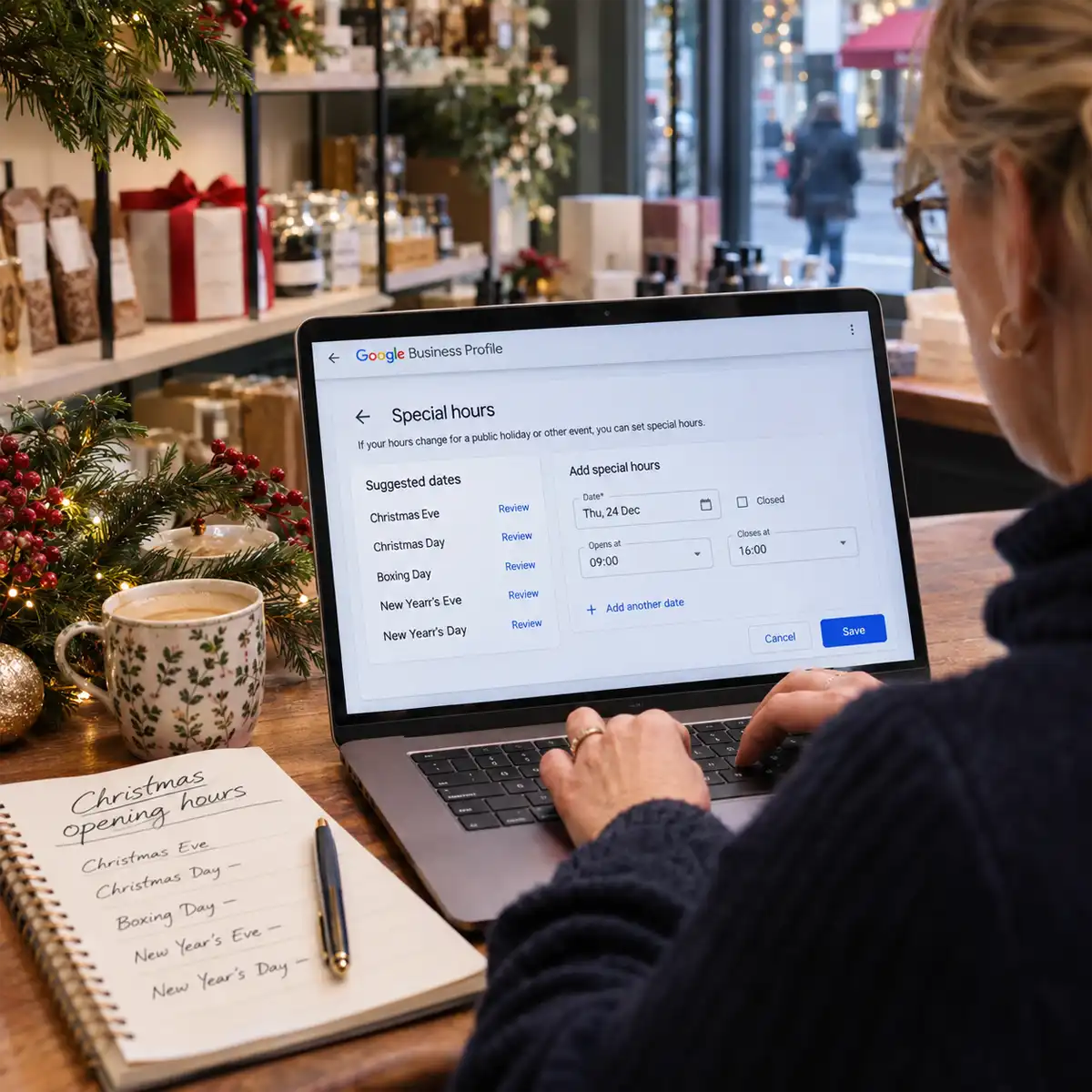
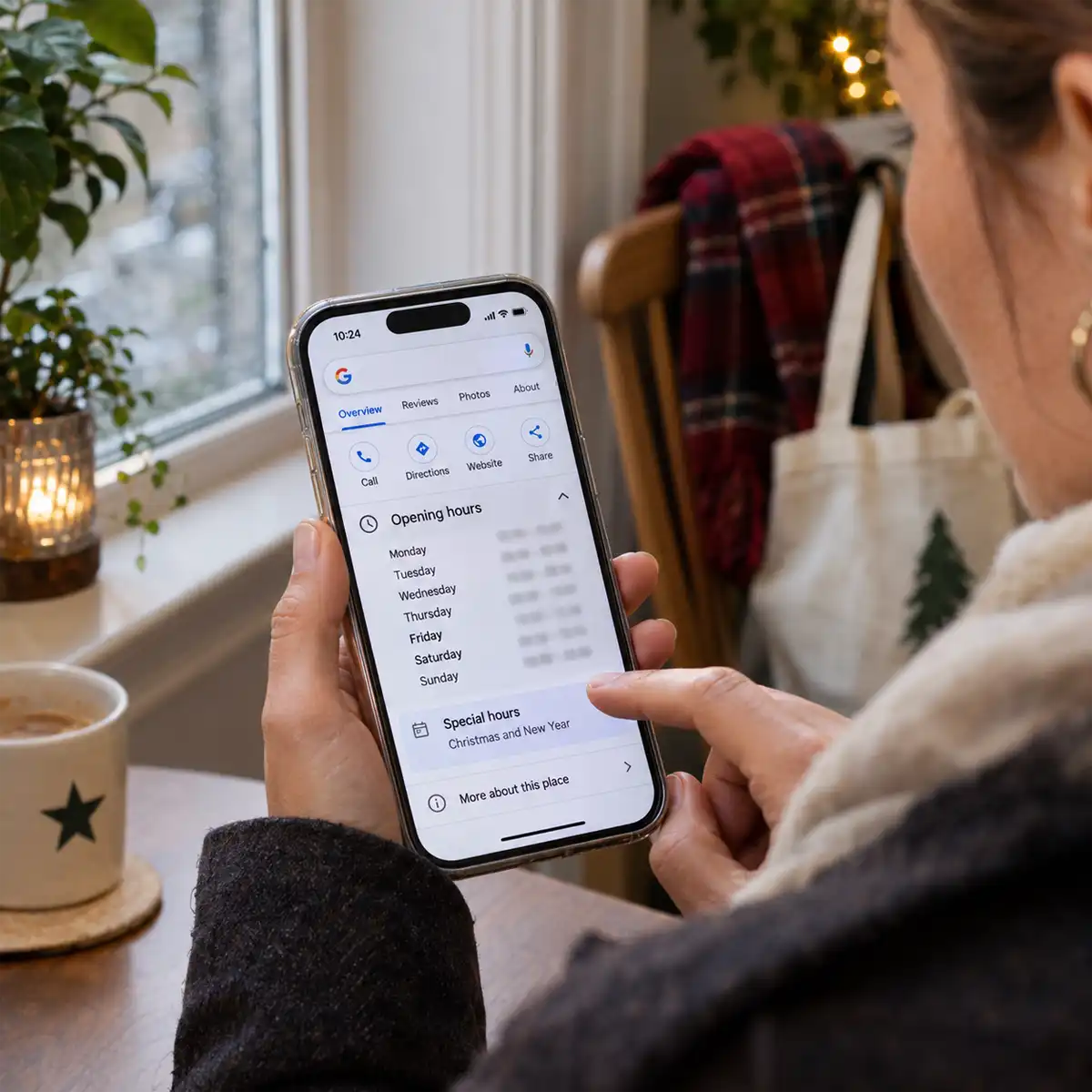
Open the Business Profile and choose Edit profile, then Hours. Select the edit icon beside Special hours and pick a suggested date or add a custom one. If you are open, untick Closed and type the hours; for a full-day closure, leave Closed ticked. Select Save, then repeat for every changed date over the break.
Google's help page, How to set special hours, adds conditions that decide whether the work shows at all. All of them are confirmed on that page:
The profile must be set to Open with main hours. Special hours do not appear on a profile without regular hours.
Special hours replace the regular hours for that date. A café that opens 08:00 to 12:00 and again 17:00 to 22:00 on New Year's Eve must enter both sets.
A single set cannot exceed 24 hours. A venue trading through the night on 31 December splits the period into two sets, one ending at midnight and one starting at midnight on 1 January.
Google also says it is a good idea to confirm hours for official holidays even when they are the same as usual. Its page does not say how far ahead special hours can be entered. So enter them now.
Several third-party guides claim Google shows customers a warning when holiday hours are left unconfirmed. Google's two help pages on hours, read on 24 November 2026, do not say so, and the claim is rated uncertain here.
Multi-location businesses can make the same change by spreadsheet. Google's bulk format is one entry per date in the Special hours column, written as 2026-12-24: 09:00-14:00, with an x in place of hours for an all-day closure and commas between several sets. Google warns that empty columns in an upload erase the existing information in those columns. An upload that only adds special hours should therefore hold 2 columns: the shop code and Special hours.
What 128 London Business Websites Showed on 24 November 2026
Teksyte ran its own check. A random sample of 200 central London business websites, mostly shops and restaurants, was drawn from public business listings on 24 November 2026, and a script requested each homepage and robots.txt file once. Measured: 128 homepages answered; the other 72 timed out, refused automated requests or had moved.
Of the 128 homepages, 3 (2.3%) mentioned Christmas, festive or holiday opening hours anywhere in their HTML, one month before Christmas Day. 81 (63%) carried some JSON-LD structured data, and 21 (16%) included opening hours inside it. None used schema.org's specialOpeningHoursSpecification. None of the 21 had added seasonal dates either.
The method has limits. A script that reads only the homepage counts a business with festive hours on its contact page as missing, and Google Business Profiles are not visible from a website at all. Read the result as a floor: on 24 November 2026, festive hours had reached almost none of these homepages.
The gap matters because a website and a profile that disagree give an assistant two answers. Google's local business structured data documentation says seasonal hours use openingHoursSpecification with validFrom and validThrough dates in YYYY-MM-DD format. Setting opens and closes to 00:00 shows a business closed all day. Confirmed: Google's own example on that page marks a business closed from 23 December to 5 January.
The 6-Day Limit and the Temporarily Closed Route
Special hours cannot cover every Christmas shutdown. Google's help page limits them to brief changes or closures of up to 6 days in a row, and says a business closed for 7 or more days in a row should mark the profile as temporarily closed instead.
Plenty of small firms close from Christmas Eve to the first working Monday, which in 2026 means Thursday 24 December to Sunday 3 January 2027: 11 days. By Google's wording, that business is temporarily closed. A closure from 25 December to 1 January inclusive lasts 8 days and lands on the same side of the line.
Uncertain: Google's page does not say how a temporarily closed profile is treated in local results while shut, or how quickly it returns afterwards, and Teksyte has no measured data on that question. Reopening needs a diary entry, because a temporarily closed profile does not reopen itself.
One honest alternative exists. A firm that actually trades for a few hours mid-break, for instance on Wednesday 30 December, splits the shutdown into two runs of under 7 days, and both runs then sit inside special hours. That choice should follow how the business really trades, never the listing. Google's same help page points businesses whose service times differ, such as delivery or collection hours, to More hours rather than special hours.
Google, Bing Places and Apple Business Connect Compared
Customers also ask Copilot and Apple Maps when a shop is open. The 3 platforms handle holiday dates differently, and the official documentation for two of them is thinner than Google's.
Platform | Where holiday hours live | What the vendor documents | Rating |
|---|---|---|---|
Google Business Profile | Edit profile, Hours, Special hours | Up to 6 consecutive closed days, 24-hour limit per set, bulk spreadsheet format | Confirmed |
Bing Places for Business | bing.com/forbusiness dashboard | Free listings for Bing search and Bing Maps, Google import that keeps hours | Confirmed for import, uncertain for holiday screens |
Apple Business Connect | Special Hours on the location | Seasonal hours modelled as Special Hours with date ranges and a description | Confirmed in Apple's API guidance only |
Microsoft's October 2025 announcement moved Bing Places from bingplaces.com to bing.com/forbusiness and described a faster Google import that better keeps the business name and hours intact. Microsoft does not state whether that import carries Google special hours as well as regular hours. Any December import should therefore be followed by a manual check of the Bing listing, date by date, before 24 December.
Apple's guidance on opening hours by day tells businesses to model seasonal hours using Special Hours with start and end dates. Teksyte did not find an Apple support article that sets a closed-day rule or a deadline, so any such rule quoted elsewhere is unconfirmed here.
The practical order is Google first, because the other two can start from it, then Bing, then Apple. Each one gets its own check on the live listing, since none of the 3 documents how quickly a holiday change appears to customers.
On Monday, put the 7 dates from the table into the profile in one sitting, starting with Monday 28 December and, for Scottish sites, Monday 4 January 2027. Check whether the closure runs to 7 days or more. If it does, the business belongs on the temporarily closed route, and someone needs a reminder to reopen it in January.
Then copy the same hours to the website's contact page and to Bing Places, so every source a customer or an assistant reads says the same thing. What remains uncertain is how Bing and Apple handle imported holiday dates; both are worth checking on the live listing after you save. Our notes on choosing a local SEO company cover what to expect if you hand the job to someone else.